Ad Performance Reporting: The Practical Guide We Hand to New Clients
Most ad reports we inherit are long, colourful and impossible to act on. A good report answers three questions in under five minutes: are we on target, why, and what are we changing. Here is how we build reports that do exactly that.
Key takeaways
- A report exists to support decisions. If nobody changes anything after reading it, it is a data dump, not a report.
- Lead with blended business results from your store or CRM, then show channel performance, then the changes being made.
- Pick one primary metric per campaign line and a handful of diagnostics. Twenty metrics per channel hide the story.
- Automate the data pull so time goes into analysis, not copying numbers between spreadsheets.
- You should own your ad accounts, pixels, dashboards and data. Agencies should be given access, never hold the keys alone.
01What good ad performance reporting looks like
When a new client sends us their previous agency’s reports, the pattern is familiar. Forty slides. Screenshots from every platform. Impressions, reach, click-through rate, cost per click, video views, engagement rate. Somewhere on slide twenty-eight, the number of sales. And at the end, no clear statement of what will change next month.
Ad performance reporting has one job: to help the people paying for the ads make better decisions. That means answering three questions quickly.
- Are we on target? Against the business goal in the media plan, not against last month’s click-through rate.
- Why? What drove the result, good or bad, in plain language.
- What are we changing? Specific actions, owners and dates.
Everything else is supporting detail. If a founder can read the first page and know whether to relax, worry or ask a question, the report is doing its job. The targets themselves come from the plan, which we cover in our media planning guide.
If a report cannot change a decision, it is decoration.
02The metrics that belong in the report
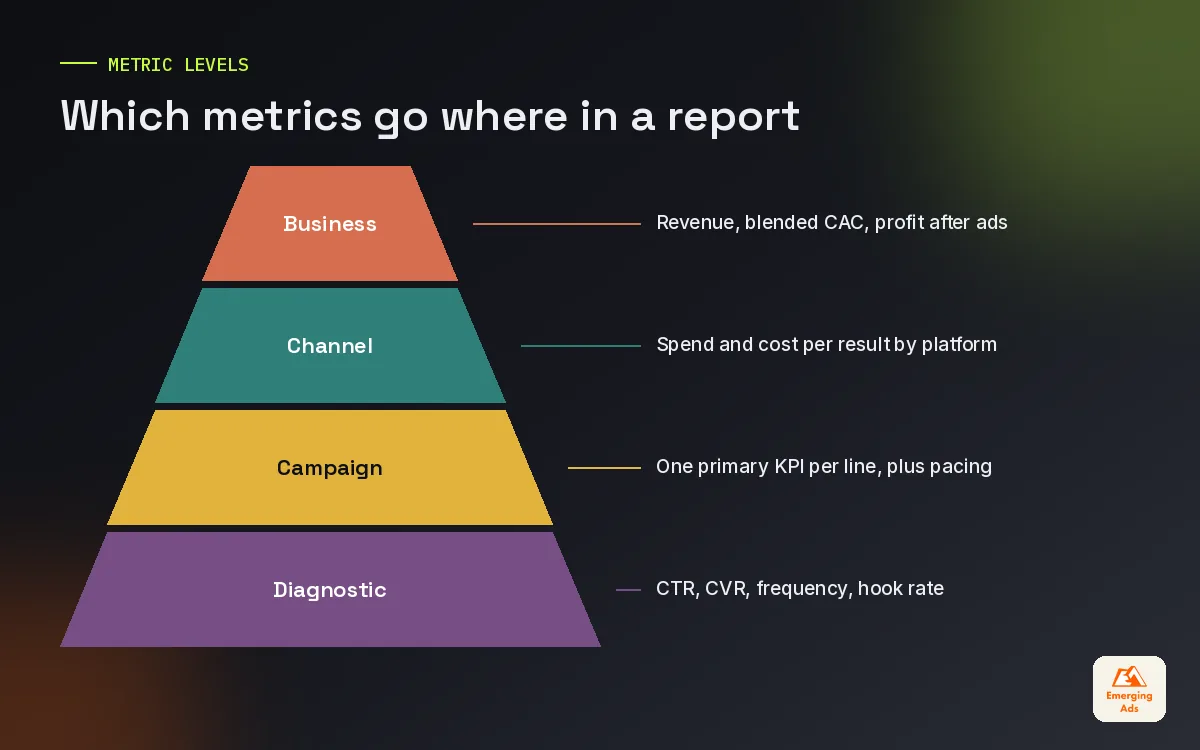
Every platform offers hundreds of metrics. A useful report shows a small set, arranged by how close they sit to profit.
| Level | Metrics | Who reads it |
|---|---|---|
| Business | Revenue, orders or qualified leads from paid media; blended cost of acquisition; MER; profit after ads | Founders, finance, leadership |
| Channel | Spend, conversions, cost per result and ROAS per platform, against target | Marketing lead |
| Campaign | The primary KPI per campaign line, plus budget pacing | Media buyers |
| Diagnostic | Click-through rate, conversion rate, frequency, hook rate, cost per click | Media buyers, creative team |
The first two levels belong on the first page. Campaign and diagnostic metrics belong further in, for the people who act on them. Mixing the levels is how reports end up celebrating a record click-through rate in a month when sales fell.
03A report structure you can copy
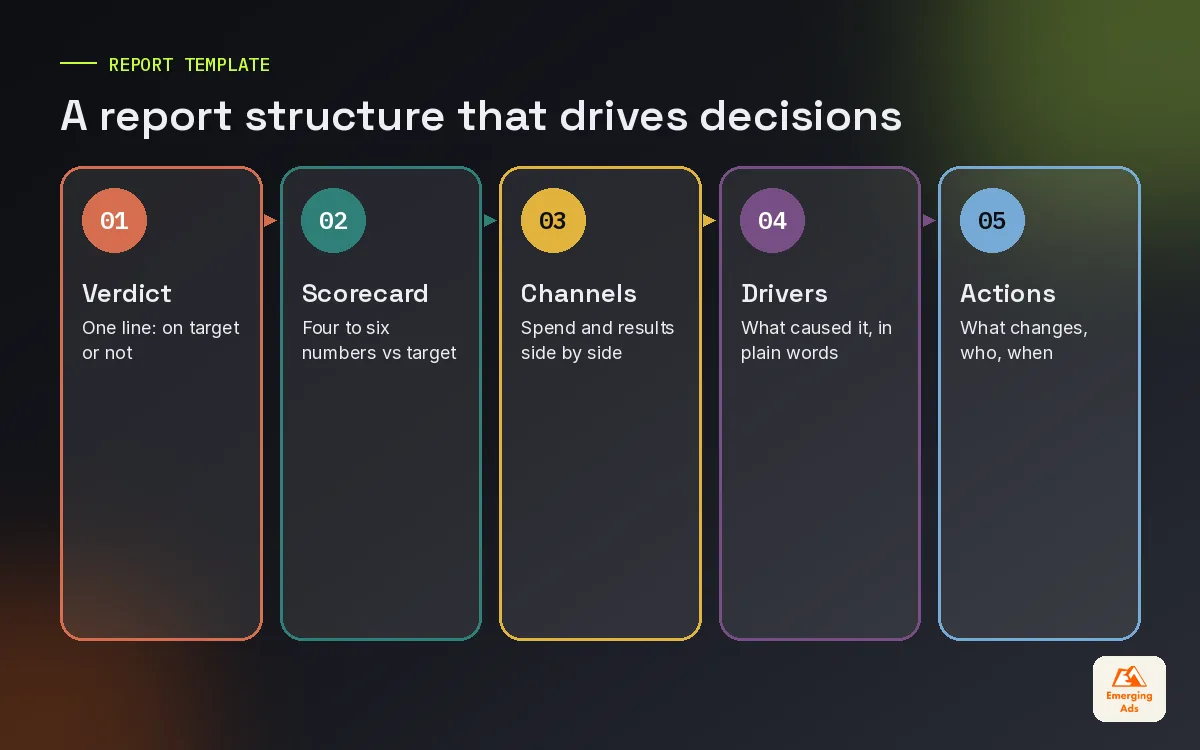
Our monthly reports follow the same structure for every client. Consistency matters: when the layout never changes, readers learn where to look and spot shifts faster.
- One-line verdict. For example: on target for revenue, cost per new customer 8 percent above target because of rising Meta costs in the last ten days.
- Business scorecard. Four to six numbers against target, with the previous period and the same period last year.
- Channel summary. A table of spend, results, cost per result and share of budget for each platform.
- What drove it. Three to five bullet points in plain language.
- What we changed and what we will change. Actions with owners and dates.
- Tests. What was tested, the result, and the lesson.
- Appendix. Campaign detail for anyone who wants it.
Weekly updates are shorter: the verdict, the scorecard and any changes. Daily checks happen inside the dashboard rather than as a written report.
04Dashboards: where the numbers should live
Written reports are for decisions. Dashboards are for monitoring. The two work best together: a live dashboard anyone can check at any time, and a short written report that interprets it.
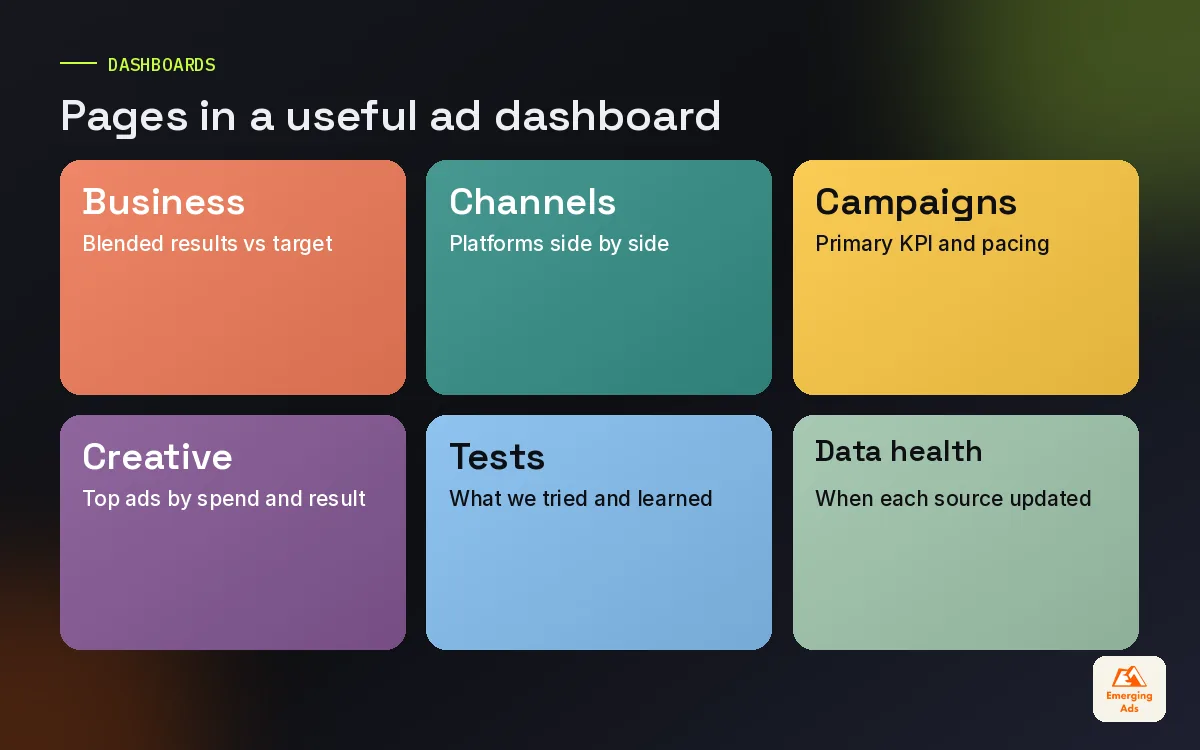
For most clients, we build dashboards in Looker Studio because it is free, connects to most ad platforms and is easy to share. Our Looker Studio dashboard builds typically include:
- A business page with blended results from the store or CRM against targets.
- A channel page comparing Meta, Google, TikTok, YouTube, Amazon and others side by side.
- Campaign pages per platform with the primary KPI and pacing.
- A creative page showing top ads by spend and results.
- A data health page showing when each source last updated.
Pulling data from many platforms into one dashboard usually needs a connector. Tools such as Supermetrics and Funnel handle this reliably. We set up Supermetrics reporting automation for most mid-sized accounts, and Funnel.io reporting where data needs more cleaning and mapping before it is reported.
05Getting the data right before reporting it
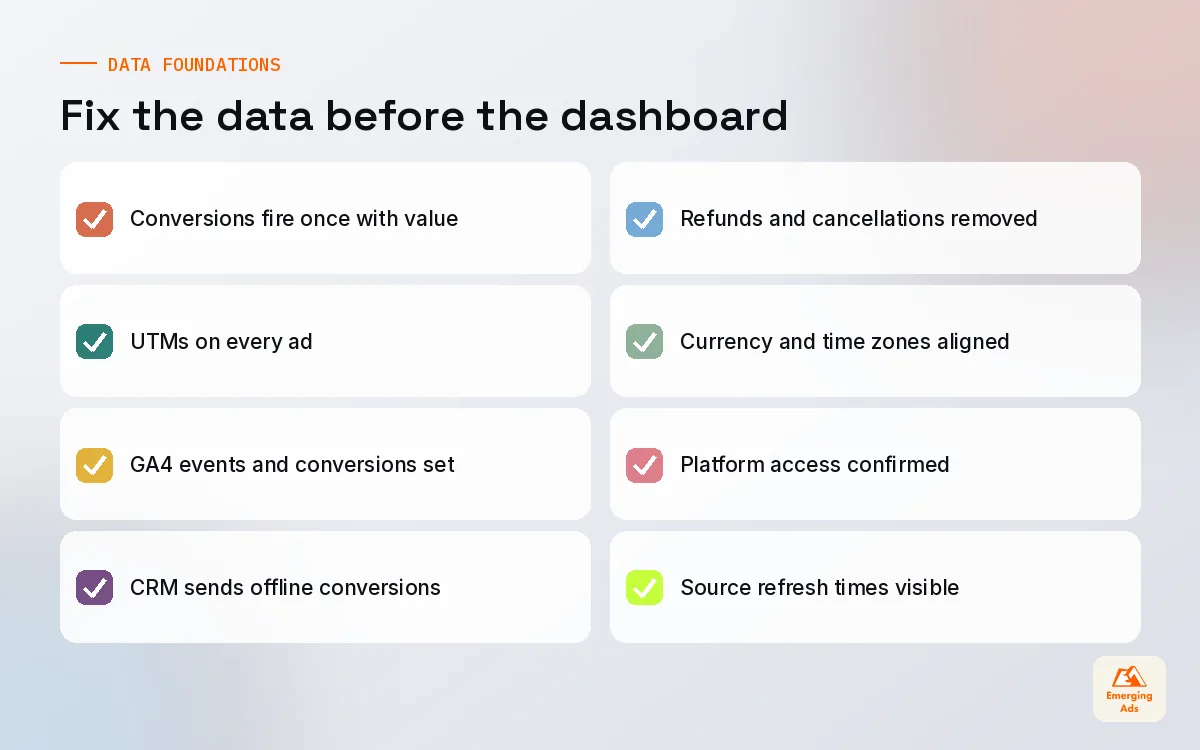
A beautiful dashboard built on broken data is worse than no dashboard, because people trust it. Before building any report, we check the foundations.
| Check | What goes wrong if you skip it |
|---|---|
| Conversions fire once, with the right value | Revenue and ROAS inflated or understated |
| Consistent UTM tagging on every ad | Paid traffic reported as direct or organic |
| GA4 configured with the right events and conversions | Funnel drop-off impossible to see |
| Offline conversions sent back from the CRM | Lead campaigns optimised on form fills, not sales |
| Refunds and cancellations accounted for | Reports overstate real revenue |
Much of this sits in tag management and analytics setup. Our GA4 setup and Google Tag Manager setup services exist largely because reporting problems are usually tracking problems in disguise. For accounts with many touchpoints, advanced website tracking, including server-side setups, closes gaps that browser tracking leaves open.
06Dealing with conflicting numbers across platforms
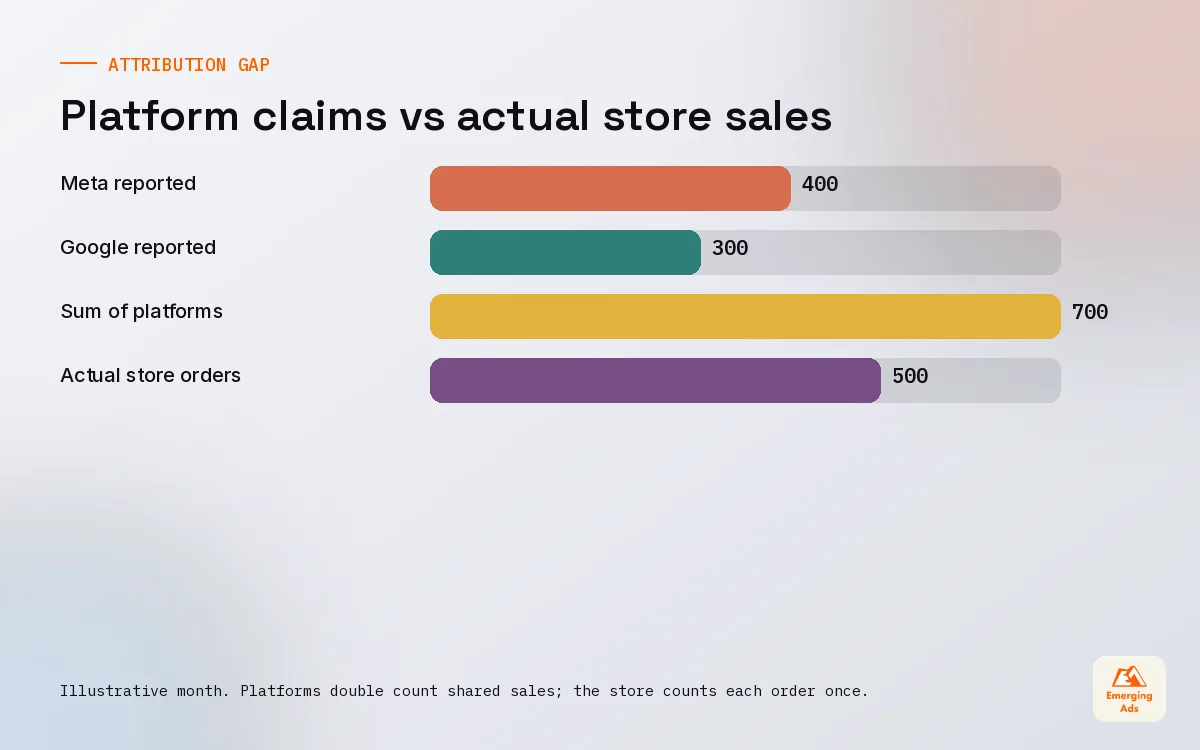
The question we answer most in reporting meetings is some version of: why does Meta say 400 sales, Google say 300, and the store say 500? Each platform counts conversions it influenced within its own attribution window, so sales get double counted. Meanwhile some sales are not tracked at all because of privacy settings.
Our reporting approach:
- The store or CRM is the source of truth for totals.
- Platform numbers are used within each platform to compare campaigns and ads with each other.
- Blended metrics sit at the top of every report: total spend against total revenue or leads.
- Attribution modelling or tests explain the channel split when the budget is large enough to justify it.
When channel credit becomes a real budget question, a proper attribution modelling project is worth the investment. Our ad spend ROI guide explains how blended numbers tie back to profit.
07Account ownership: the part nobody talks about
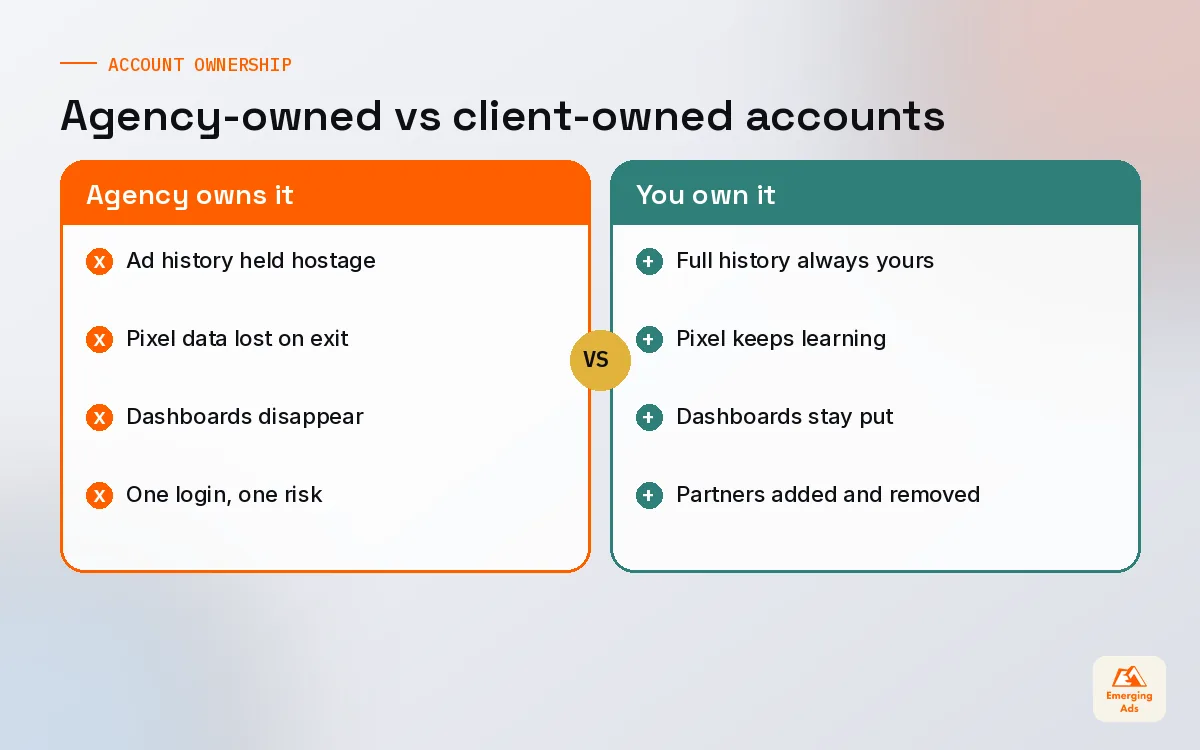
This is the section most agencies would rather skip. Your ad accounts, pixels, analytics properties, tag containers and dashboards should belong to your business. Your agency, including us, should be granted access as a partner, not hold the accounts in its own name.
We have onboarded clients who could not get their own ad history back from a previous agency, or who lost years of pixel data because the pixel lived in the agency’s business manager. Starting again from scratch costs real money, because the platforms lose everything they had learned about your buyers.
- Create ad accounts in your own business manager or advertising console.
- Own your pixels, conversion APIs and analytics properties.
- Keep admin access for at least two people inside your company.
- Give agencies partner or user access with the permissions they need.
- Make sure dashboards are built in, or shared to, an account you control.
If you are unsure who owns what, a Google Ads audit or Facebook ads audit from us includes an ownership check as standard.
08Reporting mistakes we see in inherited accounts
Almost every account we take over has at least two of these. None of them is dramatic on its own, but together they make reports that feel busy and say very little.
- Reporting what the platform says without checking it. Screenshots of platform dashboards are pasted in as fact, even when the totals are higher than actual sales.
- Changing the format every month. Readers cannot compare months when the layout, the metrics and the date ranges keep moving.
- No targets on the page. A cost per lead of 38 means nothing without the target next to it. Is 38 good or a disaster?
- Comparing the wrong periods. A November with a big sale compared with a quiet October will always look amazing. Show the same period last year as well.
- Explaining results with jargon. “CPMs rose due to auction dynamics” helps nobody. “Costs to reach people rose because more brands advertised before the holiday” does.
- No actions. The report ends with numbers and no decisions, so the same problems appear again next month.
The fix for most of these is a fixed template, targets written on every page, and a rule that the report is not finished until the actions section is filled in. It sounds basic, and it changes the quality of every monthly conversation we have with clients.
09A reporting cadence that works
| Rhythm | Format | Focus |
|---|---|---|
| Daily | Dashboard check by the buyer | Spend pacing, broken campaigns, sudden cost spikes |
| Weekly | Short written update | Verdict, scorecard, changes made this week |
| Monthly | Full report and call | Performance against plan, tests, next month’s changes |
| Quarterly | Strategy review | Channel mix, targets, budget and plan rewrite |
Keep meetings short and structured around the report, not around scrolling through platform screenshots. The most productive monthly calls we run take about thirty minutes and end with a list of agreed actions.
Good reporting changes the relationship between a business and its ad spend. It makes budgets easier to approve, problems easier to spot, and results easier to trust. If you would like us to build it for you, see our paid media services or visit the oldemergingads.com homepage to see how we report profit before reach. Our landing page optimisation guide is also worth reading, because conversion rate is often the first number a good report questions.
Frequently asked questions
Straight answers to what clients ask us most about ad performance reporting.
What should an ad performance report include?
How often should I get ad reports?
What are the most important ad metrics?
Why do my ad platforms report different numbers?
What is the best tool for ad reporting?
What is MER in marketing reporting?
Should my agency own my ad accounts?
How do I automate ad reporting?
What is a cross-channel ad report?
How long should a monthly ad report be?
How do I know if my reporting is accurate?
Getting reports you cannot act on?
Send us your latest ad report and access to your accounts. We will show you what the numbers are really saying and what a decision-ready report would look like for your business.
Book your free audit